A Singapore studio workstation at dusk with a mobile build on a phone stand and a second screen glowing out of focus

Project types and the decisions behind them

We do not publish client names or invented metrics. These are the kinds of projects 63 Bits LLC takes on, the constraints that shaped them, and the calls we made along the way.

Reading these notes

What is written down, and what is generalized

It is written so you can judge whether our approach matches the way you want a project run. Details are generalized where client work sits under agreement, and no figure here is a performance claim. Where a number would help you, we say what to check on your own project instead.

Five situations come up most often. Each note below covers the constraint that started the work, the decision that mattered, and what we would look at first if you arrived with the same problem. If your situation resembles one of them, that is a useful starting point for a conversation, not a fixed route.

A marketing team's workspace with a printed layout pinned to a board and a phone on the desk

Marketing site

A site that has to earn its keep

A regional services company needed a site that turned search traffic into enquiries, with a small team editing content. The constraint was editorial independence: the marketing team had to publish without a developer.

What we cut

Three features that never shipped

A blog, a careers section and a news feed were all requested and all cut after we looked at whether anyone would maintain them. Two years on, the pages that survived are the ones still being updated.

Build

WordPress, matched to their content

Custom fields matched to their content types, and a mobile-first layout because most of their traffic arrived on phones.

A shophouse corridor in Singapore at 3pm with hard sun raking the floor and a distant silhouetted figure

Custom portals

Custom web applications and portals

A customer portal project began with a spreadsheet problem: account managers tracked requests in files that only they could read. The replacement was a React front end on an Express API, with role-based access so clients saw only their own records.

Pending

A request in flight

What a request looks like while it waits, who can see it, and what the client is told in the gap between submission and a decision. The empty state carries most of the trust here.

Failure

The wrong file arrives

A client uploads something unusable. The screen has to explain what is wrong, keep the original, and let them try again without opening a ticket with support.

Volume

Two thousand rows

How the list behaves when it stops being a demo. Sorting, filtering and paging are the parts that decide whether an operations team keeps using the tool after launch week.

Roles

Who sees what

Clients see only their own records; account managers see across their book. Permission rules are designed before the screens, not patched in once a leak appears.

Most of the work went into states. The screens that looked simple in the first mockups took the longest to build properly.

Two hands holding a rugged Android tablet on a job site, screen angled away so only a soft glow shows

Cross-platform

Cross-platform mobile products

A field-service app needed to work on both iOS and Android, on cheap tablets, often without reliable connectivity. Flutter was the fit: one codebase, consistent screens across devices, and offline storage handled in the app rather than assumed from the network.

The early decision that saved the most time was defining the component library before the first screen. With fourteen screens and a small team, consistency would not have survived ad-hoc styling.

Device range
Cheap tablets as well as current phones, tested on the slowest hardware the crews actually carry.
Connectivity
Work continues offline and syncs when a signal returns, rather than failing and losing the entry.
Shared screens
One interface on both platforms, so training material and support answers stay the same.

Interface design

Interface design and design system work

A SaaS company came to us with a working product and an interface that had drifted. Buttons differed across sections, spacing was inconsistent, and every new feature took longer than the last. We audited the existing screens, then rebuilt the component library in Figma with matching coded components.

The measurable change was in review time, not visual polish. Once components were named and mapped, designers and developers stopped renegotiating the same decisions on every ticket. That is the part of a component library that shows up on a schedule.

What we look at first

  • How many button variants exist in the live product, and whether anyone can name them from memory.
  • Whether spacing comes from a scale or from whatever looked right in each screen.
  • Where design and code disagree, because that is where every ticket slows down.

Platform-specific

Android-first and platform-specific work

An internal operations tool needed deep access to device features and had to run on a fixed fleet of Android hardware. Cross-platform frameworks would have added a layer without benefit, so we built with Jetpack Compose and Kotlin, using declarative screens driven by state.

This is the case where native earns its cost: known hardware, platform APIs, and no iOS requirement anywhere on the roadmap. If your fleet is fixed and your feature list leans on the device, the same reasoning applies to you.

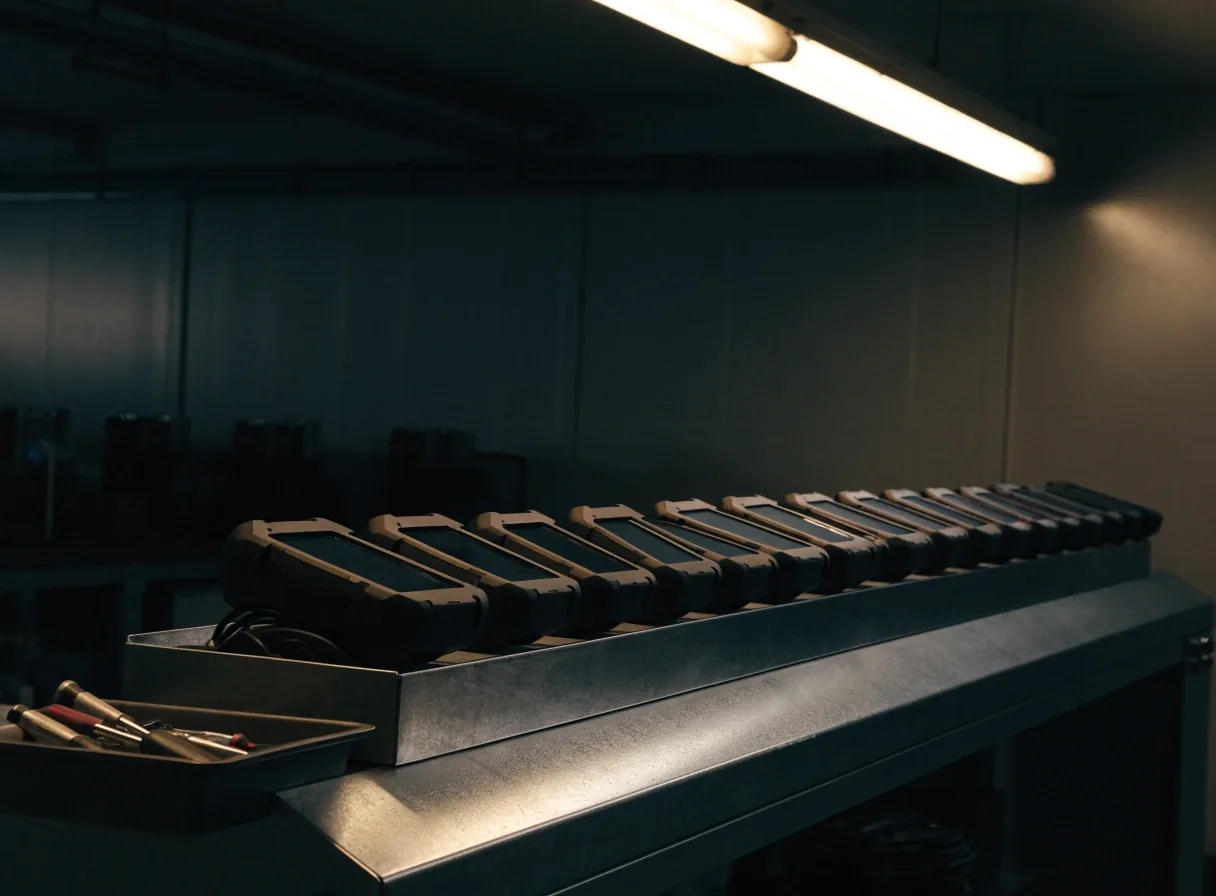
A row of identical rugged Android handhelds on a workbench under a single overhead light

Stalled builds

Rescuing projects that stalled

Some engagements start with a half-finished build. We review the code and design files, then give a written assessment: what is usable, what should be replaced, and what continuing would cost in time. Sometimes the answer is to continue. Sometimes a rebuild is cheaper, and we will say so even though it is the harder conversation.

Continue

When the foundation holds

The data model is sound, permissions are designed, and the missing pieces are screens rather than structure. Here the fastest route is usually to finish what is there, close the gaps, and keep the existing decisions.

We hand over a written list of what stays, what gets rebuilt, and the order we would do it in, so you can compare it against any other quote you are holding.

Rebuild

When the structure is the problem

The most common problem in stalled projects is not bad code. It is a missing structure layer, where screens were built before anyone agreed what the product was. Patching those screens repeats the same cost a few months later.

A rebuild is not the default answer, and it is not the comfortable one to recommend. We only put it on the table when continuing would spend more time than starting from a defined model.

What these projects have in common

Who edits the content

Decided before the first template is built. If the marketing team cannot publish on its own, every small change becomes a development task and the site slows down within months.

What happens when it fails

Offline, a rejected upload, an expired session. The behaviour in those moments is a design decision, and it is much cheaper to make it early than to discover it in production.

How consistent the interface has to be

A single screen can tolerate loose styling. Fourteen screens and a growing feature list cannot, which is why the component library comes before the screens.

In every case, the decisions that mattered were made before code: who edits the content, what the product must do when it fails, and how consistent the interface has to be. The frameworks are downstream of those answers. We also write things down. Scope, assumptions and changes live in shared documents, which is why handoffs to other teams tend to go smoothly.

Your project

How to read these notes against your project

If your situation resembles one of these, mention it in your enquiry and we will tell you what we would do differently for your constraints. Similar problems do not always take the same route, and a small team's answer is not the same as an enterprise one.

Send a short description to [email protected]. Reference material, existing code, or a rough sketch all help. You can also reach the studio on +65 6212 2731, Monday to Friday, 9:00 AM to 6:00 PM.

Can you show work for a specific industry?

We can talk through the shape of a project in your sector, the constraints that usually appear, and the questions we would ask first. Client names and under-agreement details stay with the client, so the conversation is about approach rather than a portfolio wall.

We already have a build. What do you need to assess it?

Access to the code and design files, plus a short description of what the product was meant to do. From there we give a written assessment covering what is usable, what should be replaced, and what continuing would cost in time.

Do you take on mobile and web together?

Often, yes. A marketing site, a customer portal and a field app can share one component language and one content model, which keeps the experience consistent across web and mobile. Whether that is right for you depends on the team that will run it afterwards.

How much do you generalize in these notes?

Enough to describe the decision honestly without naming the client or publishing figures we are not free to publish. The technical choices, constraints and trade-offs are as written.

Bring us the constraint, not the brief

Tell us what the team has to do every day, who edits the content, and what happens when something breaks. That is the material we can work with, and it is enough to tell you whether 63 Bits LLC is the right studio for the job. 63 Bits LLC, ул. Мицкевича, 14, Тбилиси 0194, Грузия.

Where to continue

[email protected] · +65 6212 2731 · Monday to Friday, 9:00 AM – 6:00 PM